Showing posts with label digital camera reviews. Show all posts

Canon Powershot SX10IS

CoolGadget2009

Whether the action is fast or slow, close up or far away, you’ll always get the shot you want with the PowerShot SX10 IS. This camera puts you on the cutting edge of advanced technology, with an incredibly powerful 20x optical zoom, 10-megapixel resolution, and new DIGIC 4 Image Processor for high-performance face and motion detection.


PowerShot SX10IS Highlights

Canon digital camera highlights
20x optical zoom in action
Stay close to the action with a 20x Optical Zoom, wide-angle lens and Optical Image Stabilizer
The PowerShot SX10 IS is equipped with a 20x optical zoom lens with a focal length of 5.0-100mm (35mm film equivalent: 28-560mm) that allows you to shoot any scene from wide-angle to telephoto. The camera uses a VCM (Voice Coil Motor) for high-speed, quiet, energy-efficient lens movement with precise control. Focal length is conveniently indicated on the lens barrel.

The lens is optimized to fully exploit its zoom length and wide shooting angle in concert with the camera’s high 10.0-megapixel resolution. UD glass effectively suppresses chromatic aberration, while enhanced negative refractive power ensures that distortion at the wide-angle is also corrected. Further aberration is controlled with the inclusion of a double-sided aspherical glass-molded lens and ultra-high refraction index lens.
Canon digital camera highlights


Powerful 10.0-megapixel resolution for greater printing and editing
The PowerShot SX10 IS is equipped with many of the same features as a higher-end camera: an ultrapowerful zoom, eye-popping resolution and advanced picture-improving technology. 10.0 megapixels of resolution give your photography incomparable depth and ensure that any section of any shot can be enlarged and cropped with no loss in quality when you edit the image and even in large printout. It creates crisp, clear 13 x 19-inch posters.

Canon digital camera highlights

2.5-inch Vari-angle LCD for flexible viewing at nearly every angle
The camera’s 2.5-inch LCD screen gives you the big picture, whether you’re shooting, reviewing or showing off your images. This high-resolution screen offers a crisp, clear picture to make shooting, playback and using the camera’s menu functions especially convenient. Clear and bright, it also features Night Display for easy viewing in low light. It also has an electronic viewfinder that provides sharp images when you shoot close-up with Super Macro shooting mode.

New DIGIC 4 Image Processor improves Face Detection, adds Servo AF, Face Detection Self-Timer and Intelligent Contrast Correction

DIGIC 4 Image Processor
Canon’s proprietary DIGIC Image Processors have long set its cameras apart from the competition, and the new DIGIC 4 sets the bar even higher. Faster, more accurate noise reduction delivers better image quality, even at high ISO speeds.

iSAPS Technology is an entirely original scene-recognition technology developed for digital cameras by Canon. Using an internal database of thousands of different photos, iSAPS works with the advanced DIGIC 4 Image Processor to improve focus speed and accuracy, as well as exposure and white balance.

A new Face Self-Timer automatically detects an increase in the number of faces and makes the appropriate adjustments. For instance, to include photographer’s face in a group shot, there’s no need to rush in. Just put the camera on a stand or tripod, and specify Face Self-Timer, and the camera will wait for the photographer’s face to get on-camera before it takes the shot. Motion Detection now tracks moving subjects in a much larger range, and the new Servo AF retains focus on a moving subject after the shutter button is pressed halfway -- allowing you to wait for the perfect shot without refocusing. Also, Face Detection and Motion Detection are markedly improved.

Canon digital camera highlights
Intelligent Contrast Correction
DIGIC 4 also makes possible the new i-Contrast (Intelligent Contrast Correction) system, which controls the compensation level in pixel units to brighten dark areas while leaving bright areas unchanged for better images where the main subject is dark, and more natural transition. The PowerShot SX10 IS can even use i-Contrast in playback mode to adjust images that were shot without the setting activated.

Red-eye Correction provides three options for removing red-eye from subjects in flash pictures.
1) The Red-eye Correction during shooting actually identifies and corrects red-eye in human subjects as pictures are taken.
2) The SX10 IS can be set to automatically detect and correct red-eye during image playback. 3) You can manually locate any red eyes in a scene during image playback on the LCD screen, and command the camera to remove them.

Life doesn’t give you second chances to capture special times. That’s why the SX10 IS features ISO 1600 and High ISO Auto settings that reduce the effects of camera shake and sharpen subjects in low-light situations, giving you greater shooting flexibility. ISO can be expanded to 3200 when you select ISO 3200 Special Scene mode.

MovieSnap mode lets you capture high-resolution still images while shooting a movie
With Movie Snap, you’ll never miss a perfect still shot just because you’re in the middle of shooting a movie. Simply press the shutter to record a high-resolution still. The PowerShot SX10 IS supports the MOV video format which reduces data volume by approximately 60 percent. This allows you to record longer movies while maintaining optimal image quality.

A wide range of shooting modes to capture anything
Now you’re free to concentrate on what really counts--your subject. With the large, simple-to-operate Mode Dial, all you have to do is turn to the setting that best matches the scene you’re viewing through the lens. The PowerShot SX10 IS does the rest. It chooses the perfect exposure, aperture and flash. Or, if you want to flex your creative muscles, choose Manual Control and do it all yourself. You’ve got Special Scenes Modes to handle a wide range of common shooting situations--effortlessly.

With 24 Shooting Modes including 11 Special Scene Modes, you’re ready for whatever shot comes your way.

Print/Share Button for easy direct printing and downloading
The PowerShot SX10 IS's Print/Share button makes direct printing easier than ever. Simply connect the SX10 IS to a Canon PIXMA Photo Printer or SELPHY Compact Photo Printer or any PictBridge compatible photo printer, press the lighted Print/Share button and print! Also use the Print/Share button to transfer images to a computer (Windows and Macintosh).

Print your own ID photos in up to 28 different sizes or use the Movie Print function to output multiple stills from a recorded movie on a single sheet with a Canon SELPHY Compact Photo Printer.

What's in the Box

  • PowerShot SX10 IS Camera Body
  • Lens Cap
  • Lens Hood LH-DC50
  • Neck Strap NS-DC4
  • 4 AA-type Alkaline Batteries
  • Stereo Video Cable STV-250N
  • Interface Cable IFC-400PCU
  • Solution Disk
  • User Guide


Product Description
Whether the action is fast or slow, close up or far away, you’ll always get the shot you want with the PowerShot SX10 IS. This camera puts you on the cutting edge of advanced technology, with an incredibly powerful 20x optical zoom, 10-megapixel resolution, and new DIGIC 4 Image Processor for high-performance face and motion detection.

From Amazon
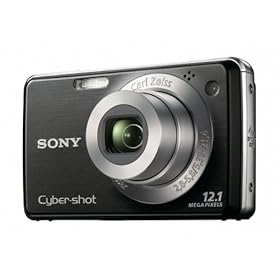
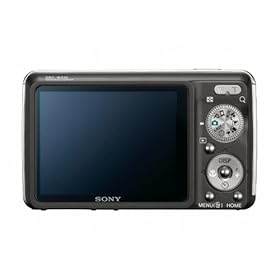
Sony Cybershot DSC-W220 12.1MP Digital Camera

CoolGadget2009

Product Description

From the Manufacturer

This one's got it all. The Cyber-shot DSC-W220 combines point-and-shoot ease-of-use with advanced features in a sophisticated, compact body. Smile Shutter technology allows you to capture a smile the moment it happens, and the Carl Zeiss 4x optical zoom lens, Optical SteadyShot image stabilization, and 12.1-megapixel resolution deliver crisp, clear images.

Sony Cyber-shot DSC-W220 Highlights

12.1-megapixel Super HAD CCD Image Sensor
A powerful 12.1 megapixel 1/2.3-inch Super HAD CCD image sensor helps you capture gorgeous images with superb contrast and clarity down to the finest detail. With 12.1 megapixels, you can create stunning, photo-quality prints up to A3 size, or crop your images and still come away with high resolution shots.

Carl Zeiss Vario-Tessar Lens with 4x Optical Zoom
4x optical zoom lens captures sharp images, even from a distance.

2.7-inch Clear Photo LCD display (230k pixels)
Generous 2.7-inch (230K pixels) Clear Photo LCD display features sharp, natural color that makes it easy to compose shots, read menus, and view photos, even in bright sunlight.

BIONZ image processor
The BIONZ image processor delivers the high resolution and fast performance you expect from a Sony digital camera.

Sony DSC-W220 digital camera highlights

Face Detection technology
Face Detection technology detects up to eight individual faces and controls flash, focus, exposure, and white balance to deliver accurate, natural skin tones with reduced red-eye for beautiful images of family and friends. Face Detection technology can even distinguish between children and adults, so you can prioritize the camera’s focus on children in the scene for clear images of their memorable moments.

Smile Shutter technology
The popular Smile Shutter technology automatically detects and captures a smiling face. Simply choose the Smiley Face feature and the camera will capture a smile the moment it happens. You can also select subject priority (Adult or Child Priority or touch subject on screen) and indicate the degree of Smile Detection Sensitivity to high (small smile), medium (laugh), or low (grin).

Double Anti-blur Solution
The combination of Optical SteadyShot image stabilization and High ISO sensitivity helps compensate for shaky hands, minimizes blur, and allows flash-free shooting to preserve the mood.

Sony DSC-W220 digital camera highlights
SteadyShot image stabilization
Optical SteadyShot image stabilization
Optical SteadyShot image stabilization uses a built-in gyro sensor to detect camera shake and automatically shifts the lens to help prevent blur without sacrificing image quality.

High Sensitivity Mode (ISO 3200)
High ISO allows for faster shutter speed, so you can take photos indoors or in low light without the need for a flash. In addition to High Sensitivity Mode (ISO), you can select up to eight ISO settings (Auto, 100, 200, 400, 800, 1600, 3200) when shooting in Program Auto Mode to adjust sensitivity to your shooting conditions.

Convenient Photo Modes
Choose from 14 convenient photo modes to quickly adjust for specific shooting conditions. Photo modes include Auto, Program Auto, Easy Shooting, Smile Shutter technology, High Sensitivity, Landscape, Soft Snap, Twilight Portrait and scene selections such as Twilight, Beach, Snow, Fireworks, Underwater and Gourmet Mode. Gourmet Mode lets you capture mouth-watering culinary creations with all the color and clarity of images you see in gourmet magazines.

Sony DSC-W220 digital camera highlights
Intelligent Scene Recognition in action
Intelligent Scene Recognition
Intelligent Scene Recognition (iSCN) Mode automatically detects five different types of scenes and selects the appropriate camera settings: Backlight, Backlight Portrait, Twilight, Twilight Portrait, and Twilight using a Tripod. iSCN has 2 modes: Auto and Advanced. In Auto Mode, the camera takes a single shot using the optimal settings. In Advance Mode, the camera takes a photo with the standard automatic settings and only if necessary takes a second photo with optimized setting.

Dynamic Range Optimizer Standard and Plus
Dynamic Range Optimizer (DRO) Standard and Plus uses a sophisticated algorithm to determine the best exposure and contrast settings for almost any shooting environment. The result is more natural images with clearer details that more closely match what your naked eye sees. DRO is particularly effective when shooting backlit portraits or any scene with a dramatic contrast between background and foreground lighting. DRO Plus allows for even greater optimization by analyzing each region of an image and performing additional image processing.

Function Guide
This beginner-friendly optional function helps navigate through the various functions and settings displaying the description of chosen functions or settings on the LCD screen.

Easy Shooting Mode
With Easy Shooting Mode, even beginners can take great photos. In Easy Shooting Mode, easy-to-understand basic instructions are displayed on the LCD screen and the camera switches to all automatic settings so you can just take the photo without worrying about settings.

MPEG Movie VX Fine Mode
Capture VX Fine (640x480) audio/video clips at a high frame rate (up to 30 frames per second). The maximum length of time you can shoot continuously is approximately 10 minutes.

16:9 High Resolution Mode
Using the 16:9 High Resolution Mode, you can record high resolution images in the 16:9 aspect ratio favored by HDTVs. This setting is ideal if you plan to view your images on a compatible HDTV and invite friends and family members over for a slideshow.

Memory Stick Duo Media Convenience
The Cyber-shot DSC-W220 camera accepts Memory Stick Duo media or Memory Stick PRO Duo media (both sold separately).

Stamina Battery Power
Provides extended battery life and shooting capacity when using a fully-charged lithium-ion battery. The included battery supports up to 370 shots.

In-Camera Retouching Tools
Retouch and enhance your photos on the go with in-camera Trimming and Red-Eye Correction functions.

HDTV Compatibility
View your photos in glorious high definition on a Sony BRAVIA or similar compatible HDTV using the included HD output adapter cable (VMC-MHC2, sold separately)

PhotoTV HD
Bring your photos to life and enjoy highly detailed, Full HD 1920x1080 images with PhotoTV HD-capable Sony BRAVIA HDTVs (HDTV sold separately). PhotoTV HD fine tunes settings on your HDTV, such as sharpness, gradation, and color to display images that look more like actual printed photos.

PHOTOMUSIC feature
PHOTOMUSIC combines images with music to produce fun and entertaining slide shows. The five standard visual effects (Simple, Basic, Nostalgic, Active, and Stylish) are supplemented with three face priority effects: Face1 (Basic), Face2 (Nostalgic), and Face3 (Stylish). Select from eight pre-loaded tracks on camera or transfer your own from your compatible PC (sold separately).

Wide Zoom display
To use the entire image area of the compatible HDTV screen (sold separately), Wide Zoom display automatically expands standard 4:3 and 3:2 images to 16:9.

Multi-purpose Resize function
The Multi-purpose Resize function lets you change the aspect ratio of an image right in the camera, so you can adjust images as necessary, whether you want to display them on a compatible HDTV, e-mail them, or upload them to a blog (compatible PC with internet connection required).

Picture Motion Browser ver. 4.2
Sony PMB (Picture Motion Browser ) software7 provides a simple, easy-to-use way to transfer video and still images to your compatible PC, as well as sort, edit, and output to data disc and the Web. Finding your images with PMB is easy with Calendar view and Face Search. Face Search allows you to filter by faces (one or many) and also a specific person’s face. Share images and videos on popular sharing sites with Media Services function (internet connection required).


What's in the Box

  • NP-BG1 rechargeable battery
  • BC-CSG battery charger
  • A/V and USB multi-connector cables
  • Wrist strap
  • Picture Motion Browser ver. 4.2
  • Note: No Memory Stick DUO Media or adaptors are included.


Product Description
The Sony Cyber-shot DSC-W220 combines point-and-shoot ease-of-use with advanced features in a sophisticated, compact body. Smile Shutter technology allows you to capture a smile the moment it happens, and the Carl Zeiss 4x optical zoom lens, Optical SteadyShot image stabilization, and 12.1 megapixel resolution deliver crisp, clear images.

CoolGadget2009

Product Description

From the Manufacturer

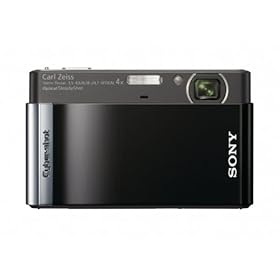
The 12.1-megapixel Sony Cyber-shot DSC-T90 with Intelligent Auto mode takes you beyond traditional auto settings. It automatically adjusts to specific scene and lighting conditions and it enhances skin tones while Optical SteadyShot image stabilization reduces blur. The result is crisp, vivid, and life-like images. Plus, 720p movie mode lets you record movies in high-definition. All images and videos can be viewed on the camera’s ultra-bright 3.0-inch LCD touchscreen display.

Cyber-shot DSC-T90 Highlights

12.1-megapixel Super HAD CCD Image Sensor
A powerful 12.1-megapixel, 1/2.3-inch Super HAD CCD image sensor helps you capture gorgeous images with superb contrast and clarity down to the finest detail. With 12.1 megapixels, you can create stunning, photo-quality prints up to A3+ (13 x 19-inch) size, or crop your images and still come away with high resolution shots.

Carl Zeiss Vario-Tessar Lens with 4x Optical Zoom
The professional-quality Carl Zeiss Vario-Tessar 4x optical zoom lens brings distant subjects closer for great outdoor, sports, and travel photos.

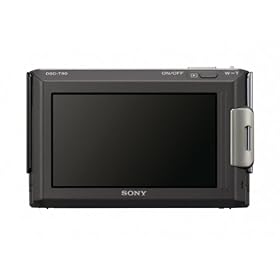
3.0-inch LCD Touch-Screen Display
Generous 3.0-inch (230K pixels) Clear Photo LCD touch-screen display features sharp, natural color that makes it easy to compose shots, read menus, and view photos, even in bright sunlight.

BIONZ image processor
The BIONZ image processor delivers the high resolution and fast performance you expect from a Sony digital camera.

Ultra-slim design
The DSC-T90 packs a lot of performance into an ultra-slim design. Measuring at just under 5/8 inch (15mm), the DSC-T90 is slim enough to slip into a pocket, so you can take it with you wherever you go.

Intelligent Auto Mode
Intelligent Auto (iAuto) mode goes beyond traditional auto settings by recognizing and adjusting to scene conditions and lighting, enhancing natural skin tones, and reducing blur. By incorporating advanced features such as Intelligent Scene Recognition, Face Detection, and Optical SteadyShot, iAuto lets you take advantage of the latest Sony Cyber-shot technology without leaving auto mode. Whether you’re shooting expansive landscapes, capturing playground action, or taking pictures at a birthday party or wedding shower, iAuto will optimize your camera’s settings to help ensure you come away with a great shot.

HD Movie
Capture more of your memories in high definition (720p) video. Record HD movies in 720p high definition MPEG4 format allowing for stunning large-screen home movie playback. Record up to 29 minutes in 720p format (or up to 2GB) per movie.

Intelligent Scene Recognition
Intelligent Scene Recognition (iSCN) Mode automatically detects eight different types of scenes and, within just 1/30th of a second, selects the appropriate camera settings: Backlight, Backlight Portrait, Twilight, Twilight Portrait, Twilight using a Tripod, Portrait, Landscape, and Macro. iSCN has two modes: Auto and Advanced. In Auto Mode, the camera takes a single shot using the optimal settings. In Advance Mode, the camera takes a photo with the standard automatic settings and, if in difficult lighting (low light or back light) immediately takes a second photo with optimized setting so you can chose which to keep.

Face Detection technology
Face Detection technology detects up to eight individual faces and controls flash, focus, exposure, and white balance to deliver accurate, natural skin tones with reduced red-eye. It can also give priority to children or adults. Newly added Face Motion Detection adjusts ISO sensitivity and accelerates the shutter speed when facial movement is detected, reducing blur in the subjects face.

Anti-blink Function
It's frustrating to think you've captured that perfect shot, only to review it later and discover one of your subjects blinked just as you pressed the shutter. The new Anti-blink function works to help counter blinking and squinting. When the camera is set to Soft Snap, the Anti-blink function captures two images, recording only the photo with less squinting. If a blink is detected in other shooting modes, a warning will be displayed after you take the shot.

Smile Shutter Technology
The popular Smile Shutter technology automatically detects and captures a smiling face. Simply activate by pressing the Smile Shutter button and the camera will capture a smile the moment it happens. You can also select subject priority (Adult or Child Priority or touch subject on screen) and indicate the degree of Smile Detection Sensitivity to high (small smile), medium (laugh) or low (grin). Smile Shutter also makes a great substitute for the self timer. Just smile once everyone is ready, and the camera will automatically capture the shot.


Double Anti-blur Solution
The combination of Optical SteadyShot image stabilization and High ISO sensitivity helps compensate for camera shake, minimizes blur, and allows flash-free shooting to preserve the mood.

Optical SteadyShot Image Stabilization Optical SteadyShot image stabilization uses a built-in gyro sensor to detect camera shake and automatically shifts the lens to help prevent blur without sacrificing image quality.

High Sensitivity Mode (ISO 3200)
High ISO allows for faster shutter speed, so you can take photos indoors or in low light without the need for a flash. In addition to High Sensitivity Mode (ISO), you can select up to eight ISO settings (Auto, 80, 100, 200, 400, 800, 1600, 3200) when shooting in Program Auto Mode to adjust sensitivity to your shooting conditions.

Dynamic Range Optimizer Standard and Plus
Dynamic Range Optimizer (DRO) Standard and Plus uses a sophisticated algorithm to determine the best exposure and contrast settings for almost any shooting environment. The result is more natural images with clearer details that more closely match what your naked eye sees. DRO is particularly effective when shooting backlit portraits or any scene with a dramatic contrast between background and foreground lighting. DRO Plus allows for even greater optimization by analyzing each region of an image and performing additional image processing.

Red-eye Correction
Reduces common red-eye problems.

Convenient Photo Modes
Choose from 14 convenient photo modes to quickly adjust for specific shooting conditions. Photo modes include Auto, Program Auto, Easy Shooting, and Scene Selection such as Smile Shutter, High Sensitivity, Landscape, Soft Snap, Twilight Portrait, Twilight, Beach, Snow, Fireworks, Underwater and Gourmet Mode. Gourmet Mode lets you capture mouth-watering culinary creations with all the color and clarity of images you see in gourmet magazines.

9-Point Auto Focus
Because an off-centered subject can make your shot more interesting, a 9-point auto focus system measures nine precision focus points, giving you greater creative freedom to compose your images.

Burst Mode
You can fire up to 100 shots at approximately 0.57 second intervals (at any resolution; VGA to high resolution mode. Results may vary based on settings and Memory Stick media being used).

Function Guide
This beginner-friendly optional function helps navigate through the various functions and settings displaying the description of chosen functions or settings on the LCD screen.

Easy Shooting Mode
With Easy Shooting Mode, even beginners can take great photos. In Easy Shooting Mode, easy-to-understand basic instructions are displayed on the LCD screen and the camera switches to all automatic settings with iSCN so you can just take the photo without worrying about settings.

16:9 High Resolution Mode
Using the 16:9 High Resolution Mode, you can record high resolution images in the 16:9 aspect ratio favored by HDTVs. This setting is ideal if you plan to view your images on a compatible HDTV and invite friends and family members over for a slideshow.

Memory Stick Duo Media Convenience
The Cyber-shot DSC-T90 accepts Memory Stick PRO Duo media (sold separately).

Stamina Battery Power
Provides extended battery life and shooting capacity when using a fully-charged lithium-ion battery. The included battery supports up to 200 shots.

Easy Image Management
Easy Image Management takes the hassle out of sorting through large volumes of image data, so you can quickly select and view your desired photos. Photos can be browsed in four convenient ways: by Standard Folder view, Date view, Event view, and Favorites showing only user-selected images. You can also harness the power of Face Detection technology to filter by face type (choices include All People, Children, Infants, and Smiles).

HDTV Compatibility
View your photos and movies in high definition on your Sony BRAVIA or similar compatible HDTV using the supplied multi-output stand with HDMI connectivity (HDMI cable sold separately).

BRAVIA Sync
When connected to a BRAVIA Sync enabled BRAVIA HDTV via HDMI output on the supplied multi-output stand (HDMI cable required, sold separately), the Cyber-shot playback screen will automatically display, and you can control camera playback using your BRAVIA HDTV remote control. Just press the Sync button on the remote to display a dedicated menu. Such easy operation makes viewing your photos and videos on a large-screen TV even more enjoyable.

PhotoTV HD
Bring your photos to life and enjoy highly detailed, high definition images with PhotoTV HD-capable Sony BRAVIA HDTVs. PhotoTV HD fine tunes settings on your HDTV, such as sharpness, gradation, and color to display images that look more like actual printed photos.

Wide Zoom display
To use the entire image area of the compatible HDTV screen (sold separately), Wide Zoom display automatically expands standard 4:3 and 3:2 images to 16:9.

PHOTOMUSIC feature
PHOTOMUSIC combines images with music to produce fun and entertaining slide shows. The four standard visual effects (Simple, Nostalgic, Active and Stylish). Select from four pre-loaded tracks on camera or transfer your own from your compatible PC (sold separately).
In-Camera Retouching Tools
Retouch and enhance your pictures on the go with 10 in-camera editing functions: Trimming, Red-Eye Correction, Soft Focus, Partial Color, Fisheye Lens, Cross Filter, Radial Blur, Retro, Happy Face and Unsharp Masking effects.

Creative Painting Tools
Let your imagination run wild with the built-in Paint Pen, as well as more than 30 stamps and 15 types of picture frames. Painted images are saved separately from the original images, so you can have fun without having to worry about permanently altering your original images.

Multi-purpose Resize function
The Multi-purpose Resize function lets you change the aspect ratio of an image right in the camera, so you can adjust images as necessary, whether you want to display them on a compatible HDTV, or e-mail them/upload them to a blog.

Picture Motion Browser ver. 4.2.02
Sony PMB (Picture Motion Browser ) software provides a simple, easy-to-use way to transfer video and still images to your PC, as well as sort, edit, and output to data disc and the Web (compatible PC with internet connection required). Finding your images with PMB is easy with Calendar view and Face Search. Face Search allows you to filter by faces (one or many) and also a specific person’s face. Share images and videos on popular sharing sites with Media Services function.

Product Description
The Sony Cyber-shot DSC-T90 camera combines style with power and intelligence. At just under 5/8¿ (15mm) thin, the T90 comes in 5 sophisticated colors and has a stylish look. With the T90 taking great pictures is now easier than ever. The iAuto mode goes beyond the traditional auto mode, thinking and working for you; recognizing scenes, lighting conditions, faces, and automatically adjusts camera settings resulting in clearer images, and faces with more natural skin tones and less blur. T90 also features HD Movie mode, recording in 720p for capturing your precious moments on video. Compose, review, and share your memories on the 3.0¿ (230k pixels) touch-screen LCD.

From Amazon


Copyright © 2009 - Cool Gadget update - is proudly powered by Blogger
Smashing Magazine - Design Disease - Blog and Web - Dilectio Blogger Template